Automated Action Bot
My Role: UX, UI
Timeframe: Jan 2026 - Feb 2026
This tool allows users to do mass outreach in a streamlined, automated way. One use case for example is messaging all AirBnb hosts in a specific city. The tool is completely customizable, so it works across different websites. The user builds a sequence of tailored, automated actions to be implemented on a batch of URLs.
Overview
Creating new opportunities sometimes requires cold outreach, which takes a lot of time and effort. Tools like automated LinkedIn messaging and email campaigns streamline the process on these platforms. We wanted to make a universal automated outreach tool that is usable across all websites (e.g., AirBnb, Zillow, Fiverr).
Problem Description
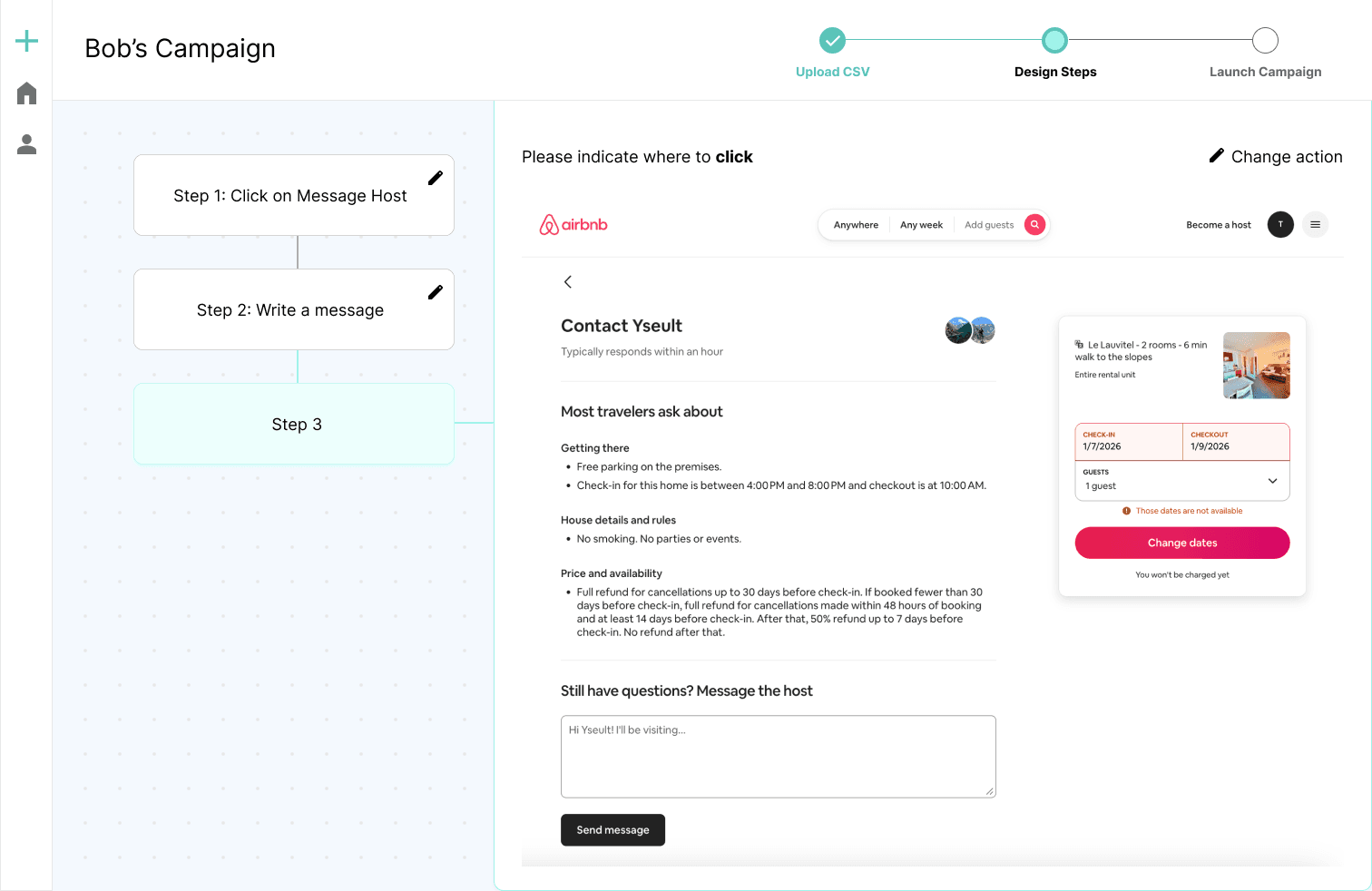
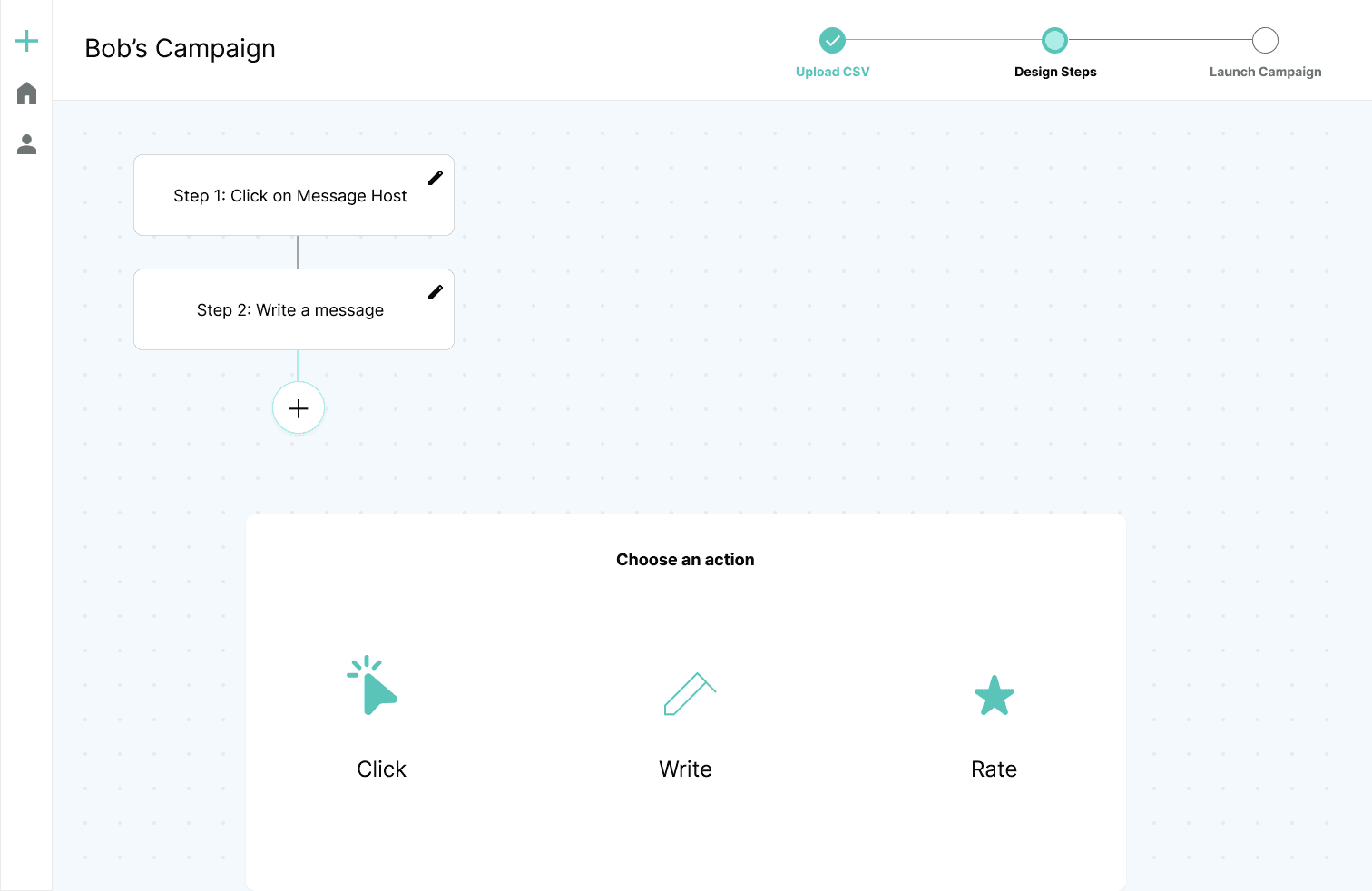
The founder, who has experience in sales, and I brainstormed a list of use cases. Examples below:
A developer wanting to acquire property could message AirBnb hosts
A startup founder could connect with other founders on Product Hunt
An Instagram influencer could follow pages to get follow backs
A band could reach out to music blogs to promote their new song
I went on these websites and mapped out the actions needed to complete each task. It turns out there are only 3 actions
Use Cases
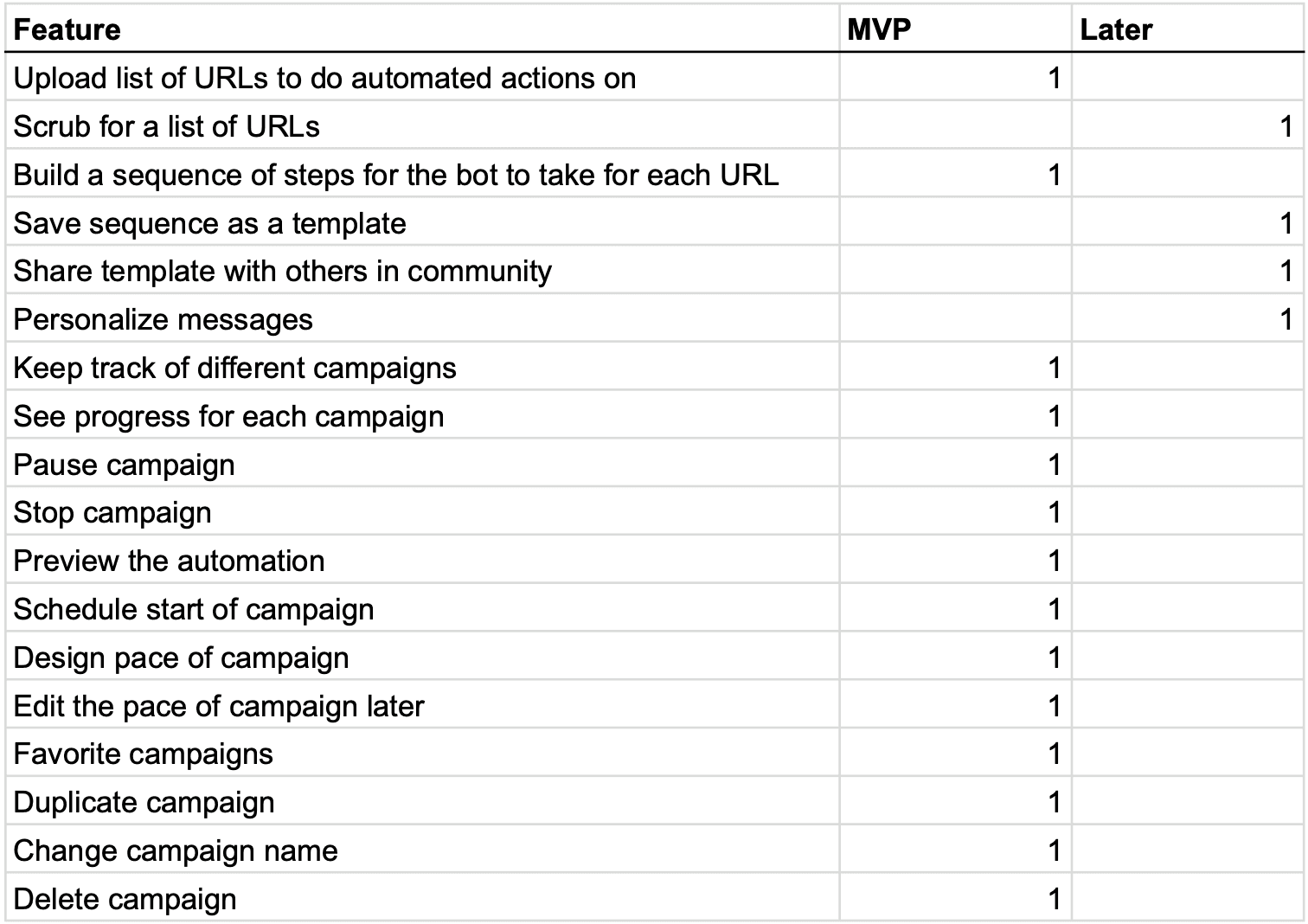
I tried other tools that automate actions such as Lemlist, reply.io and Dripify to gather a list of key features. Then, we decided which ones are needed for the MVP and which ones could be introduced later.
The Technology
Clicking on a link or button
1
Writing a message
2
Rating number of stars (this is similar to clicking but we wanted to simplify the user experience)
3
We tell the cursor to go to a specific place on each URL, assuming all URLs with the same path have the same structure (e.g., the structure of https://www.trustpilot.com/review/investmentwatches.com is the same as the structure of https://www.trustpilot.com/review/michaeljonesjeweller.co.uk). Then, we would tell the cursor what to do at the spot.
Designing the Sequencer
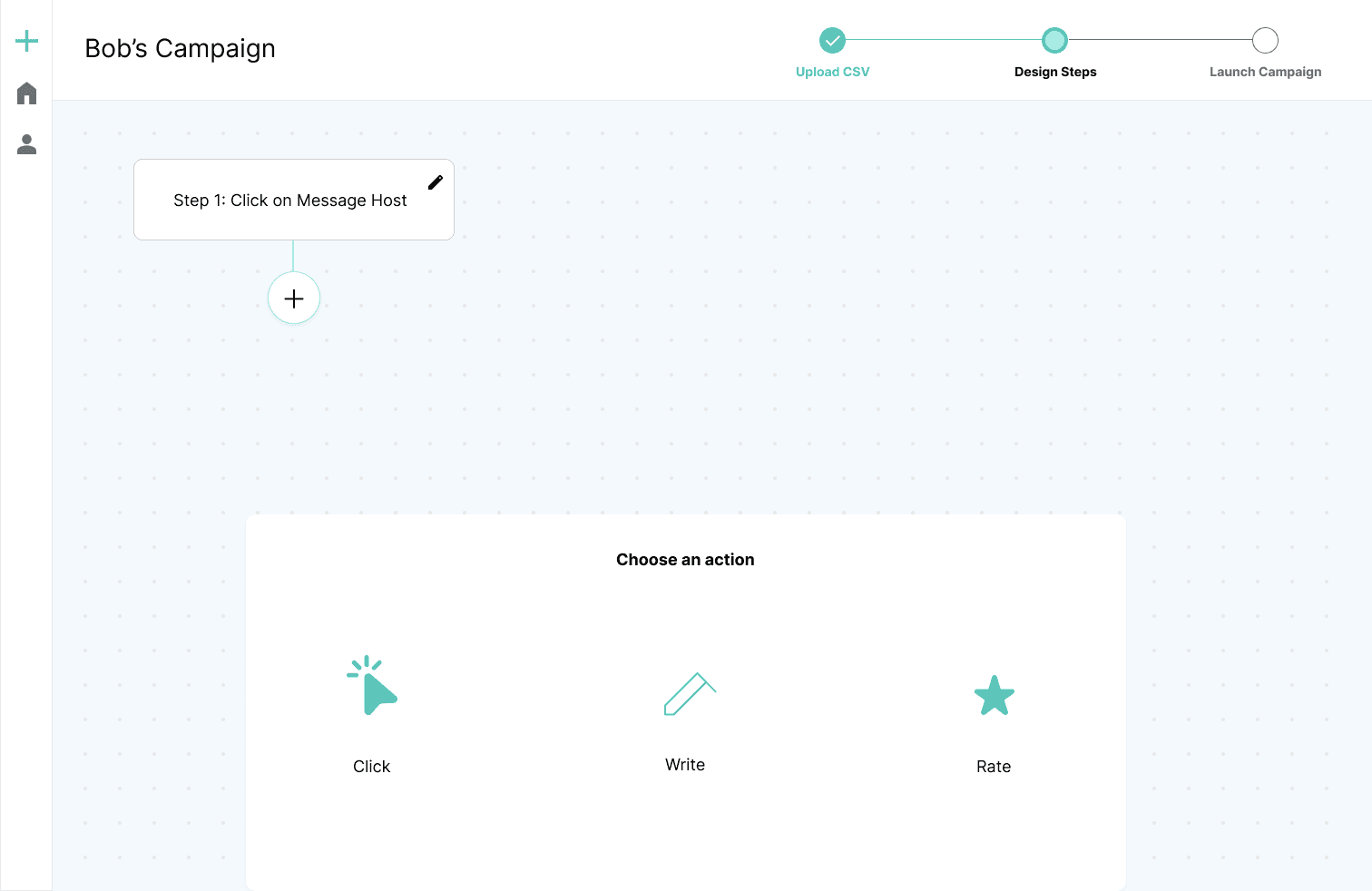
The biggest chunk of work was designing the sequencer, which is where the user tells the bot what to do in each URL. To get the process started, I made wireframes for specific websites (Trustpilot and Zillow).
Trustpilot wireframes
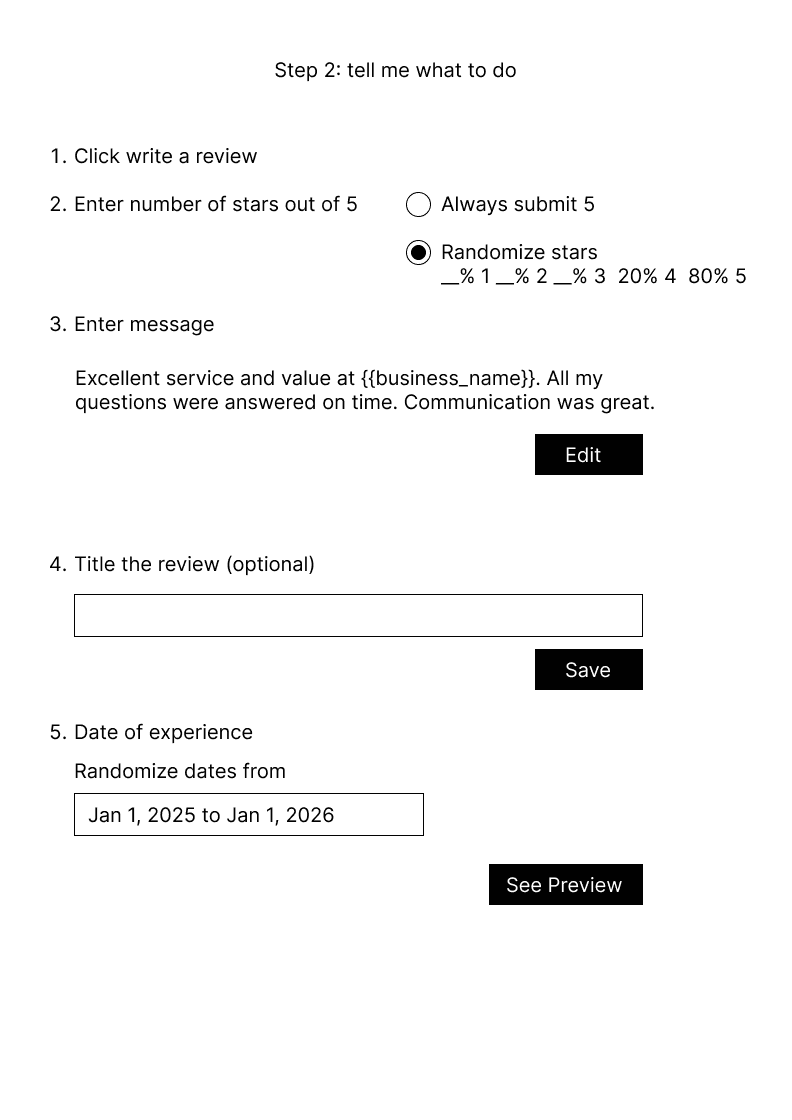
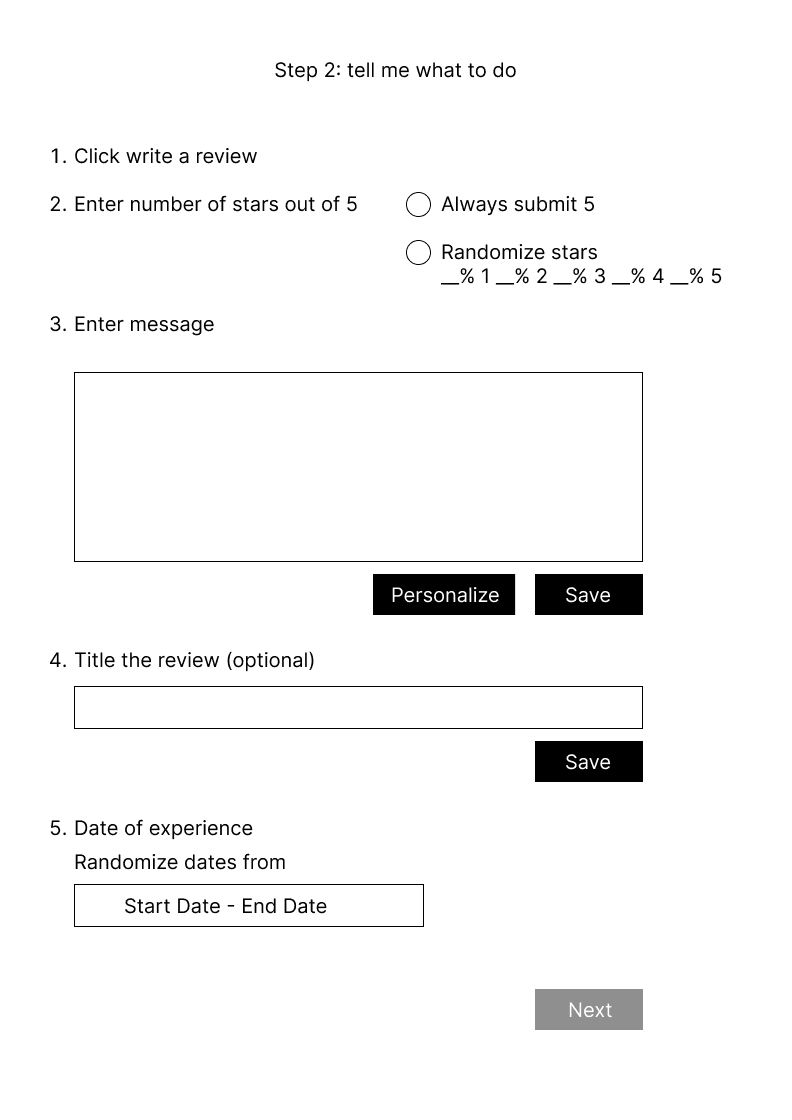
To submit a review on Trustpilot, the user would have to complete the following steps:
Click on Write a Review
Rate the experience
Write a review
Give the review a title
Enter Date of Experience
Click Submit Review
I made the sequencer wireframe just for Trustpilot. The next step is making it completely customizable to different websites. This means the user can designate which action each step should be (i.e., if it should be to click, write or rate)
Wireframes for generic sequence builder
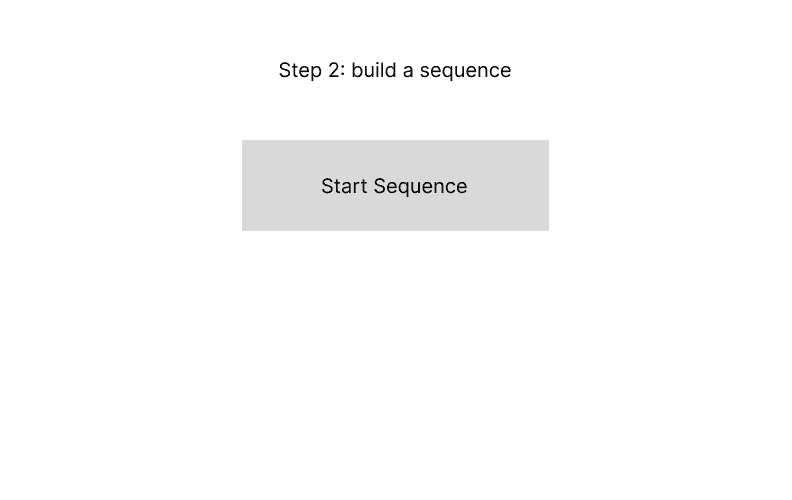
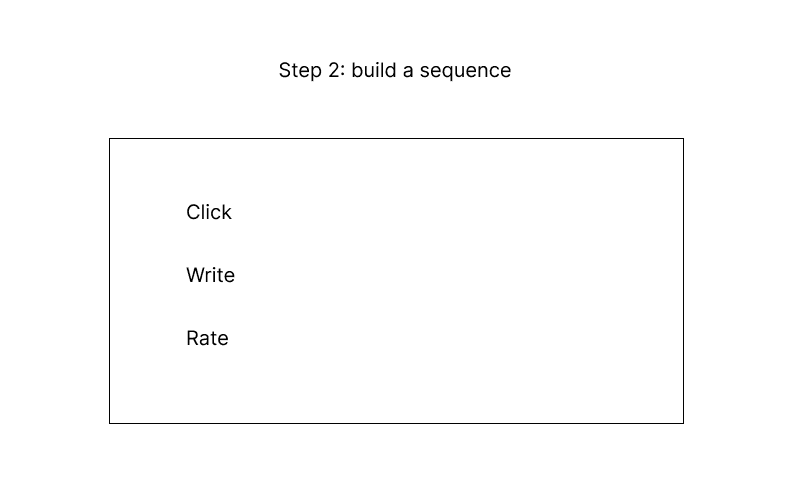
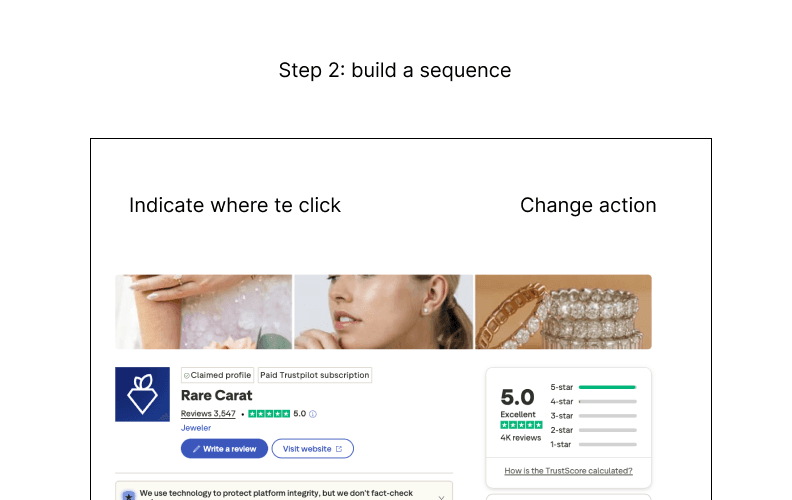
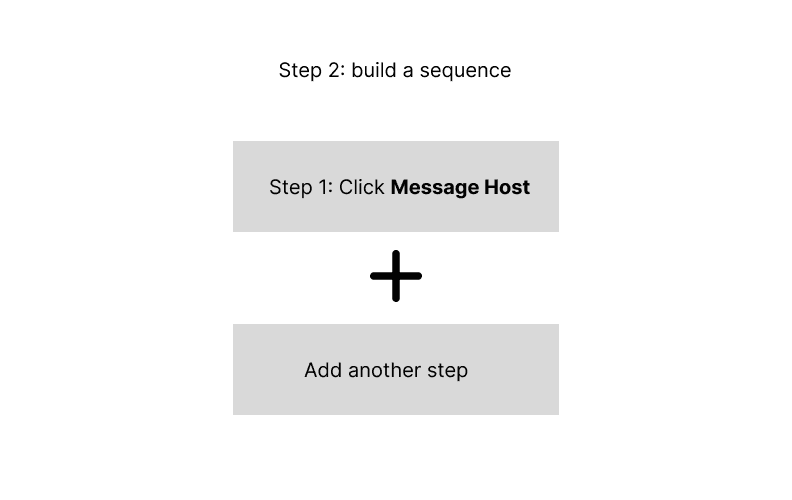
Start the sequence with the first step
1
Indicate what the step should be, choosing between click, write and rate
2
Describe how the action should be implemented within the URL
3
Continue with adding a next step
4
UI and Visuals
I wanted the visuals to be modern, professional and simple. Sometimes technical tools can be challenging to understand, so I aimed to make it as visually directive as possible.
Colors
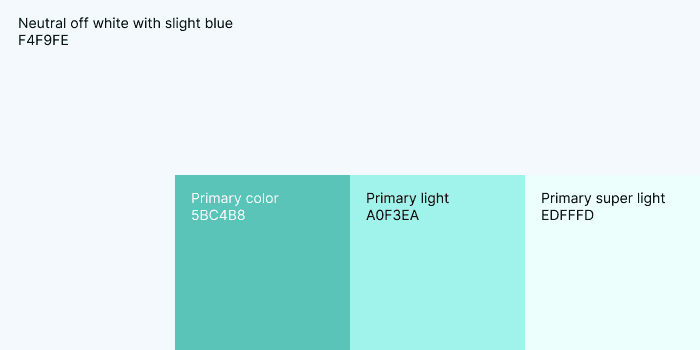
I was inspired by blueprints because the user is building the sequence step by step. However, I made the blue very light with dark text to make it easier to read. The primary color is a teal green representing calmness and professionalism.
Other Visual Elements
I incorporated subtle grid dots to simulate the physical paper designers might use for their work. I wanted the user to feel as if they are creating something new from nothing, a unique sequencer for what they need. I made the visuals bold and simple, clearly showing what has been completed and what the user needs to decide for the current step.
The Full Experience
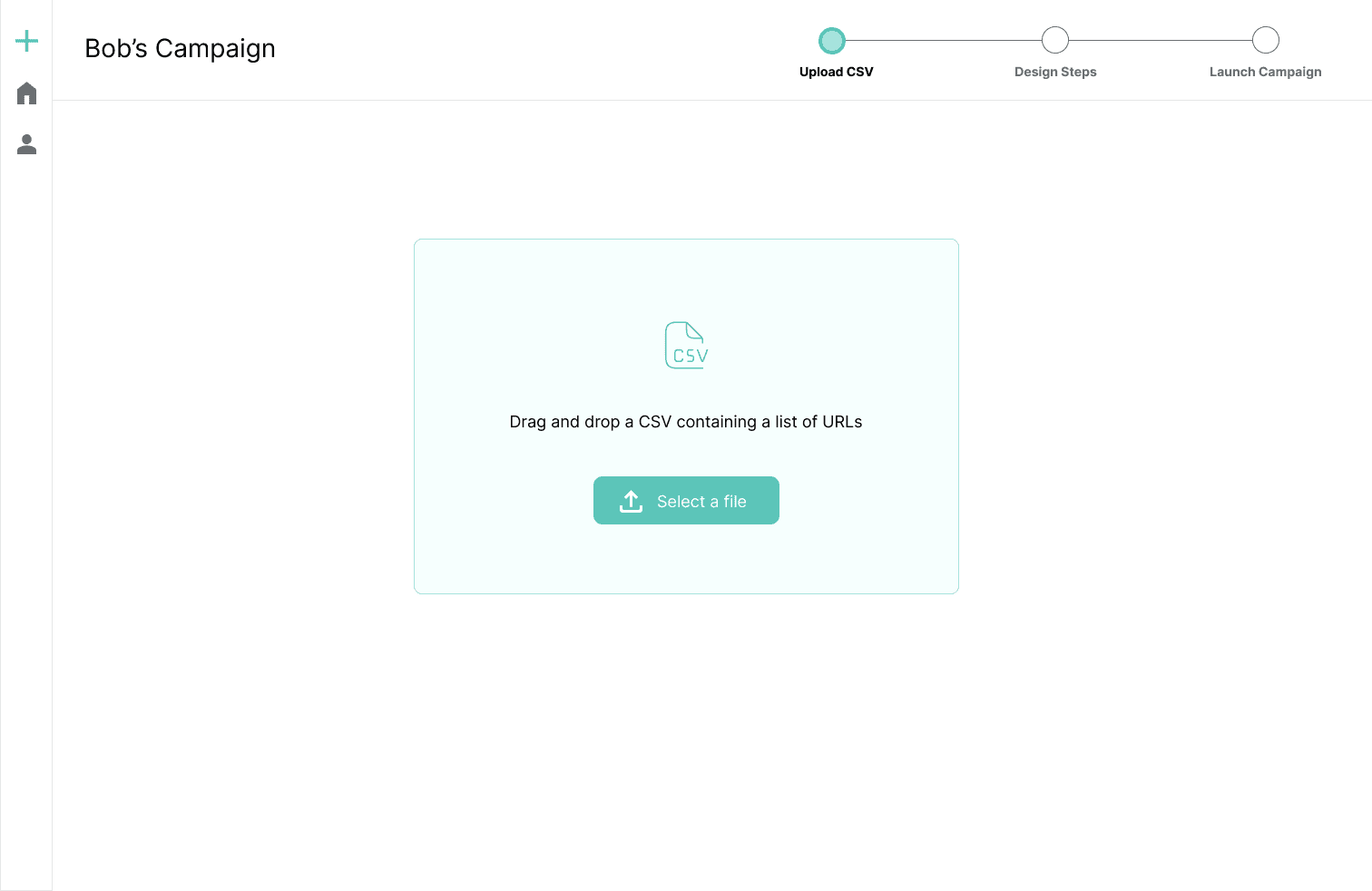
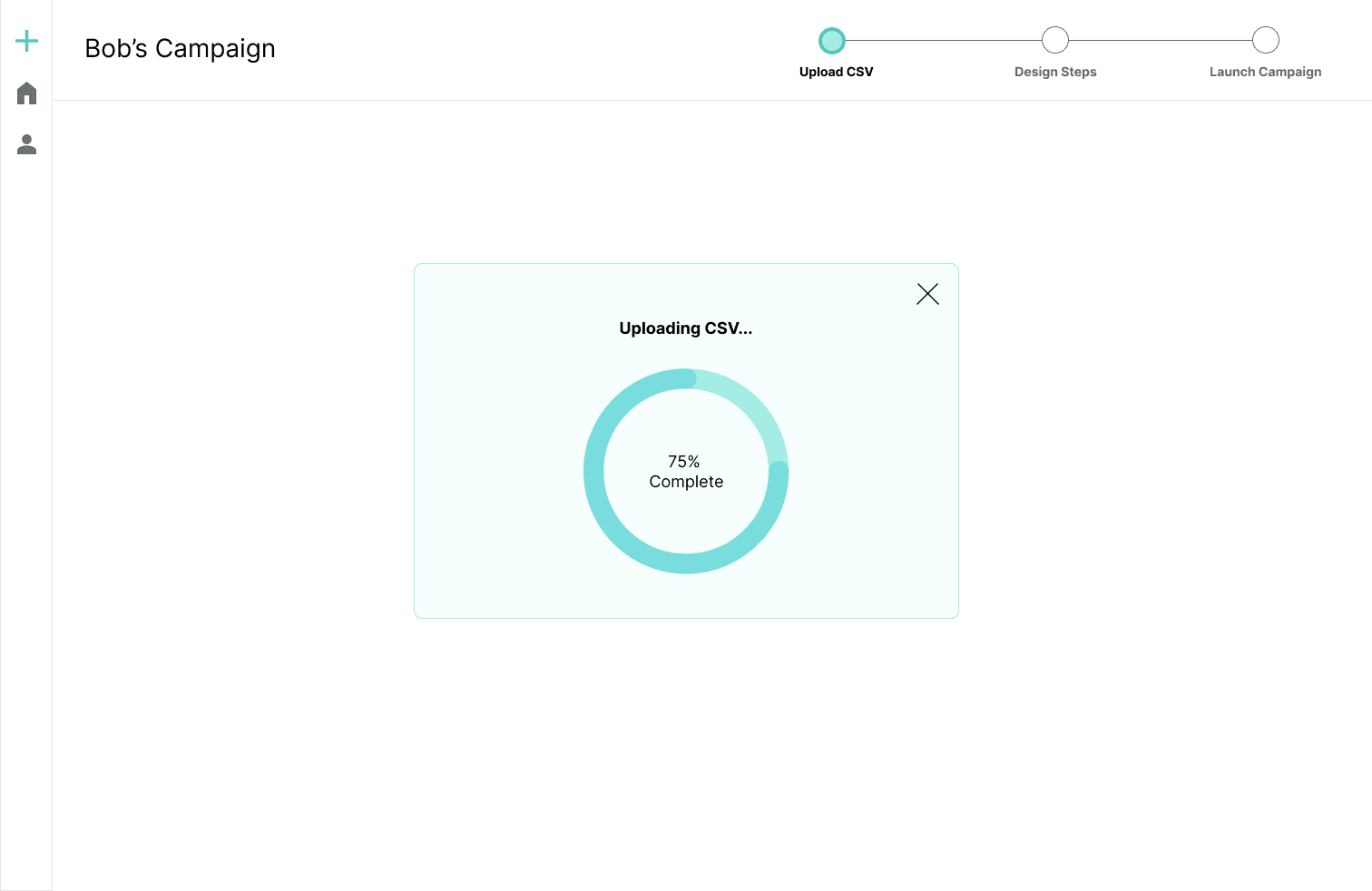
After designing the sequencer, I worked on the end-to-end experience, which starts with uploading a CSV of URLs. The user can also schedule campaign launches, track progress and manage campaigns. The central theme is to make the tool as customizable and easy to use as possible.
CSV Upload
Previewing before Launch
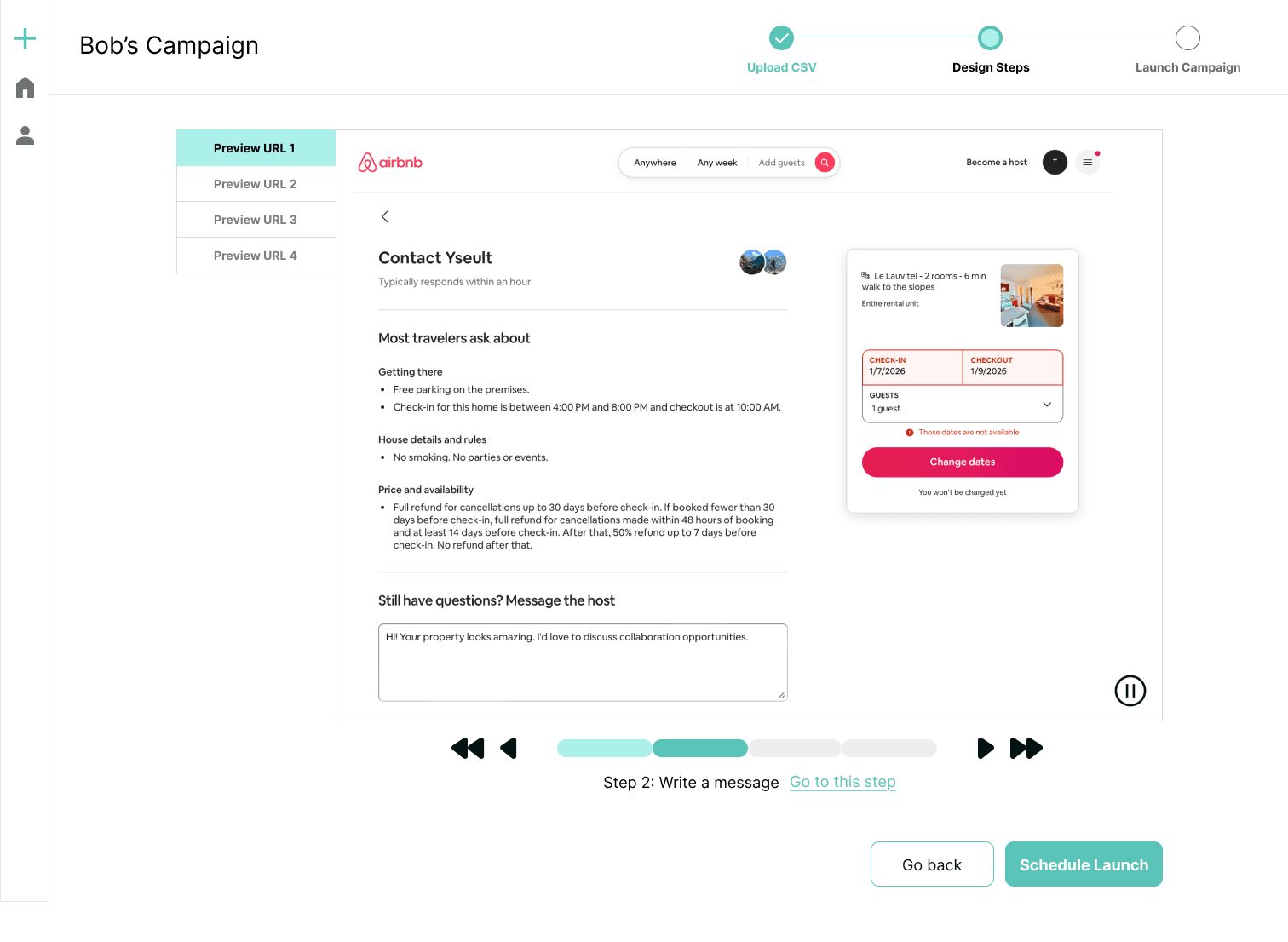
Before launching a campaign, users can preview how their sequence of actions will perform in the URL. This is to ensure the steps implement successfully one after another. Especially for more complicated websites with multiple actions, there is more space for error, so it's important for users to correct any errors before launch. The preview would be a short video showing the steps being implemented. The user can see which step the video is on, pause it, and manually rewind and fast forward through the steps. They can also go directly into the step to correct any errors. Previews would be shown for 4 URLs to ensure the sequence is effective across the board.
Previewing before Launch
Scheduling the Campaign
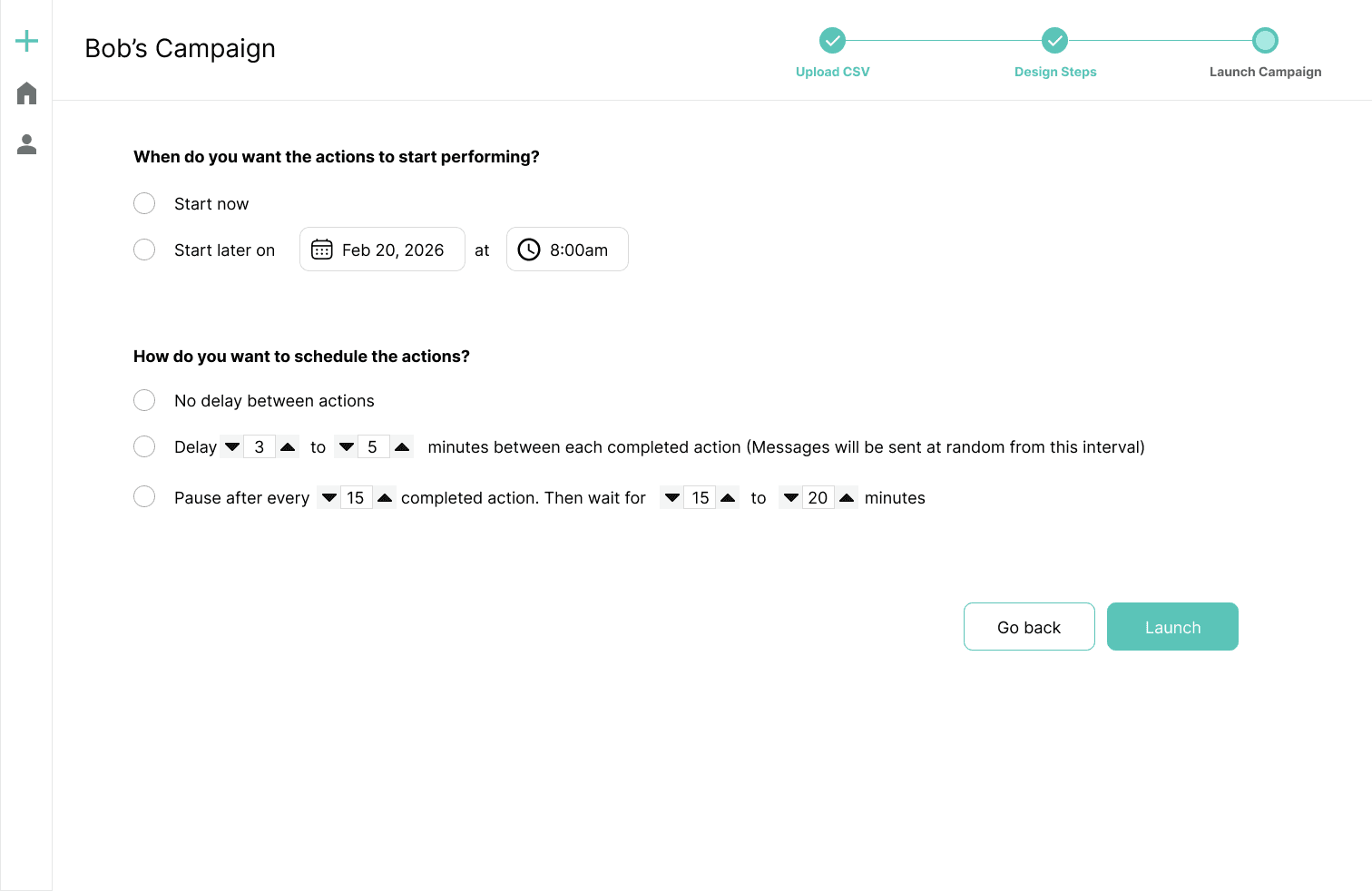
When designing the scheduler, I considered the following factors:
User may want to start the campaign at a later date/time
User may want to stagger the actions in intervals to avoid websites detecting unusual activity
There should be a limit of actions per timeframe (e.g., X actions per Y minutes/hours)
I got inspiration from competitor schedulers (Lemlist, Dripify, etc.) as well
Progress Tracking
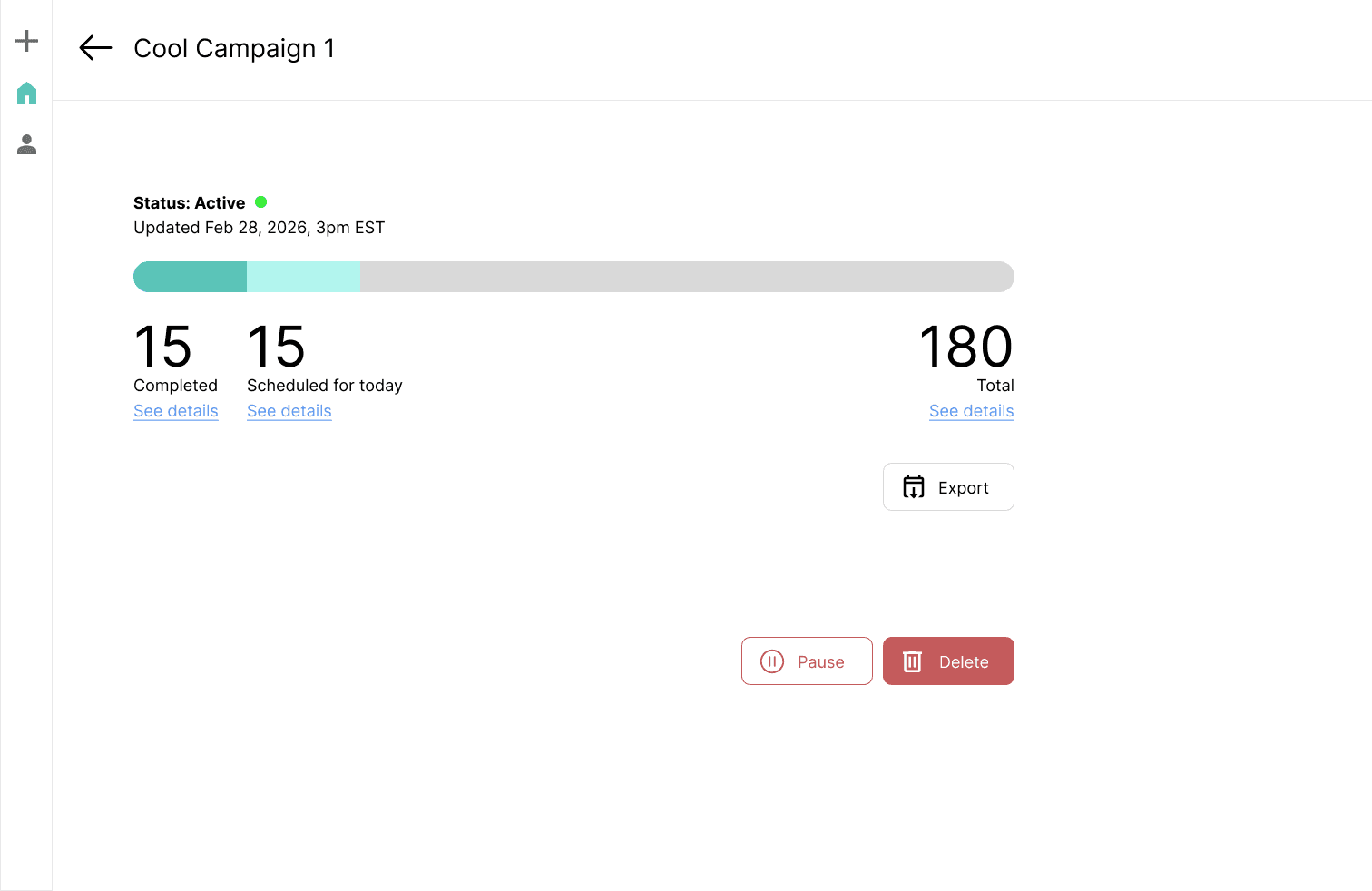
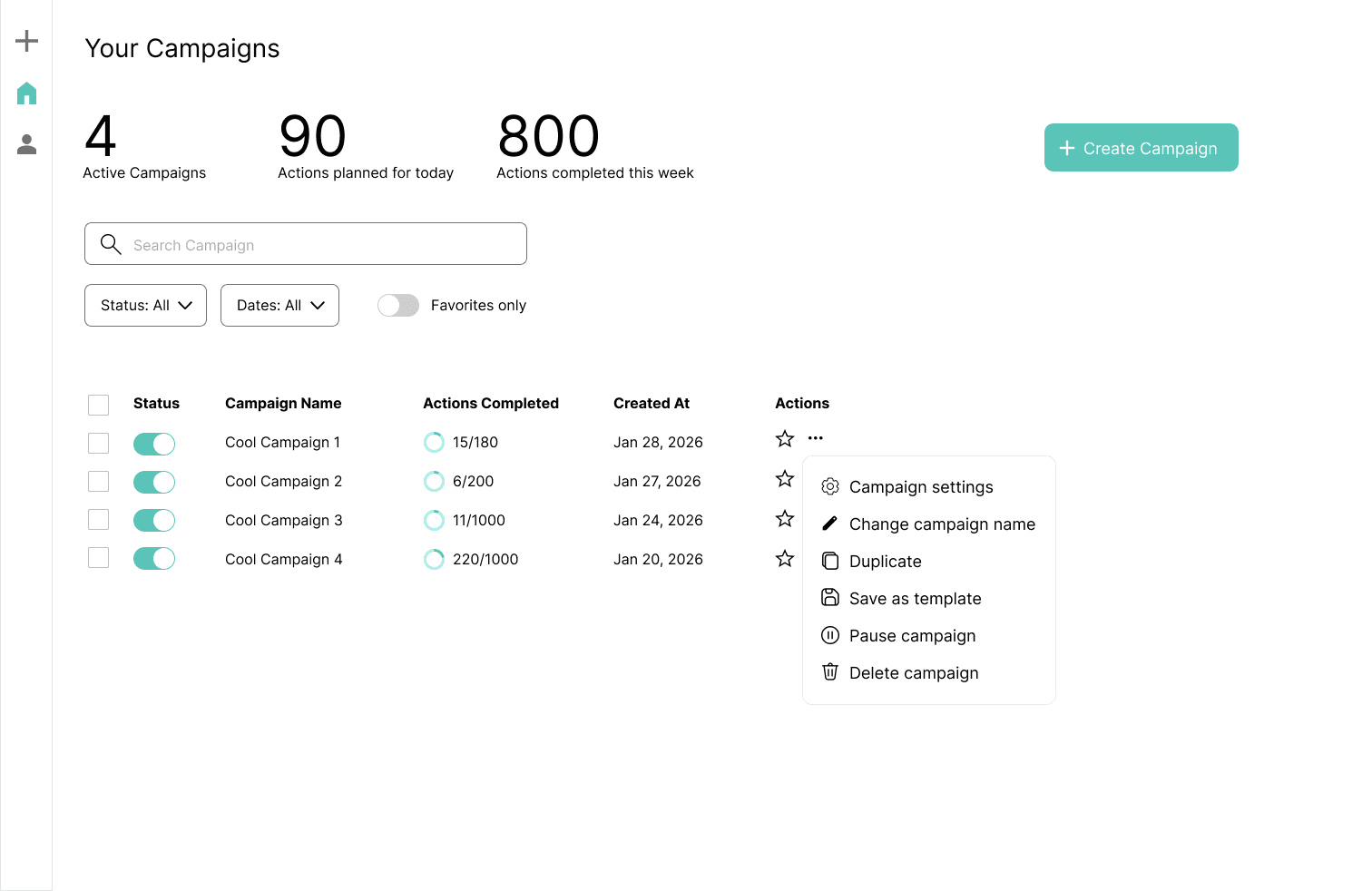
The user can see an overview of all their campaigns, view their status and implement actions (e.g., pause, rename, duplicate). The user can click into each campaign to get a deep dive.
Research
Go Back Home